Adobe Customer Journey Analytics for business: the whole journey in one report
Adobe Customer Journey Analytics for business: the whole journey in one report
Softwhale builds Adobe Customer Journey Analytics (CJA) implementations where online behavior, call center records and offline transactions land in the same report — joined on the customer, not on the channel.
Enhance cross-channel measurement with Adobe CJA
Adobe describes Customer Journey Analytics as its next-generation Analytics solution, one that lets you use the power of Analysis Workspace with data from Adobe Experience Platform. In practice that means you bring customer data from any channel you choose — both online and offline — into Experience Platform, and then analyze it just as you would analyze your existing digital data in Analysis Workspace today. You control how online and offline data are connected on any common customer ID, which is what makes attribution, segments, flow and fallout work across the whole journey rather than within one property.
The work that decides whether a CJA implementation is trustworthy happens before the first report: which datasets go into a connection, which field is the person ID, whether events need stitching to reach person level at all, and how the data view interprets everything downstream. Those are modeling decisions, not reporting decisions. Softwhale makes them explicitly, documents them, and then builds the workspace on top.
Our Adobe CJA Expertise
Our Adobe CJA Expertise

Why Adobe Customer Journey Analytics?
Digital analytics answers questions about a website. Customers do not live on a website. They call, they walk into a store, they abandon an app and finish on a laptop, and they exist in a CRM under an identifier that the analytics tool has never seen. So the organization ends up with a web report, a call center report and a sales report that disagree, and nobody can attribute a purchase to the touch that caused it. Customer Journey Analytics exists to make those datasets one analyzable whole, on Experience Platform’s standardized data foundation, without forcing every source to pretend it is a web page.

Why Softwhale is Your Ideal Adobe Customer Journey Analytics Partner

CJA rewards teams who can think about the data model and the business question at the same time. That is the practice we have built.

We work with connections, stitching configuration and data views, Analysis Workspace, Analytics Dashboards, Report Builder and Cloud Export — and, underneath, the Experience Platform layer that feeds them. Delivering both layers is what lets us fix a discrepancy at its cause instead of patching a segment.
24/7 Dedicated Technical Support: Our experts are always available to ensure smooth operation, rapid troubleshooting, and continuous optimization.
Training is split by audience: analysts learn Analysis Workspace and the data views you have built, data teams learn schemas and stitching.
We start from the decisions your team cannot currently make and work backwards to the minimum data model — typically one connection and one well-designed data view. Licensing conditions are stated early: stitching methods depend on your package level, and B2B Edition and Content Analytics are scoped explicitly.
What our clients says about us














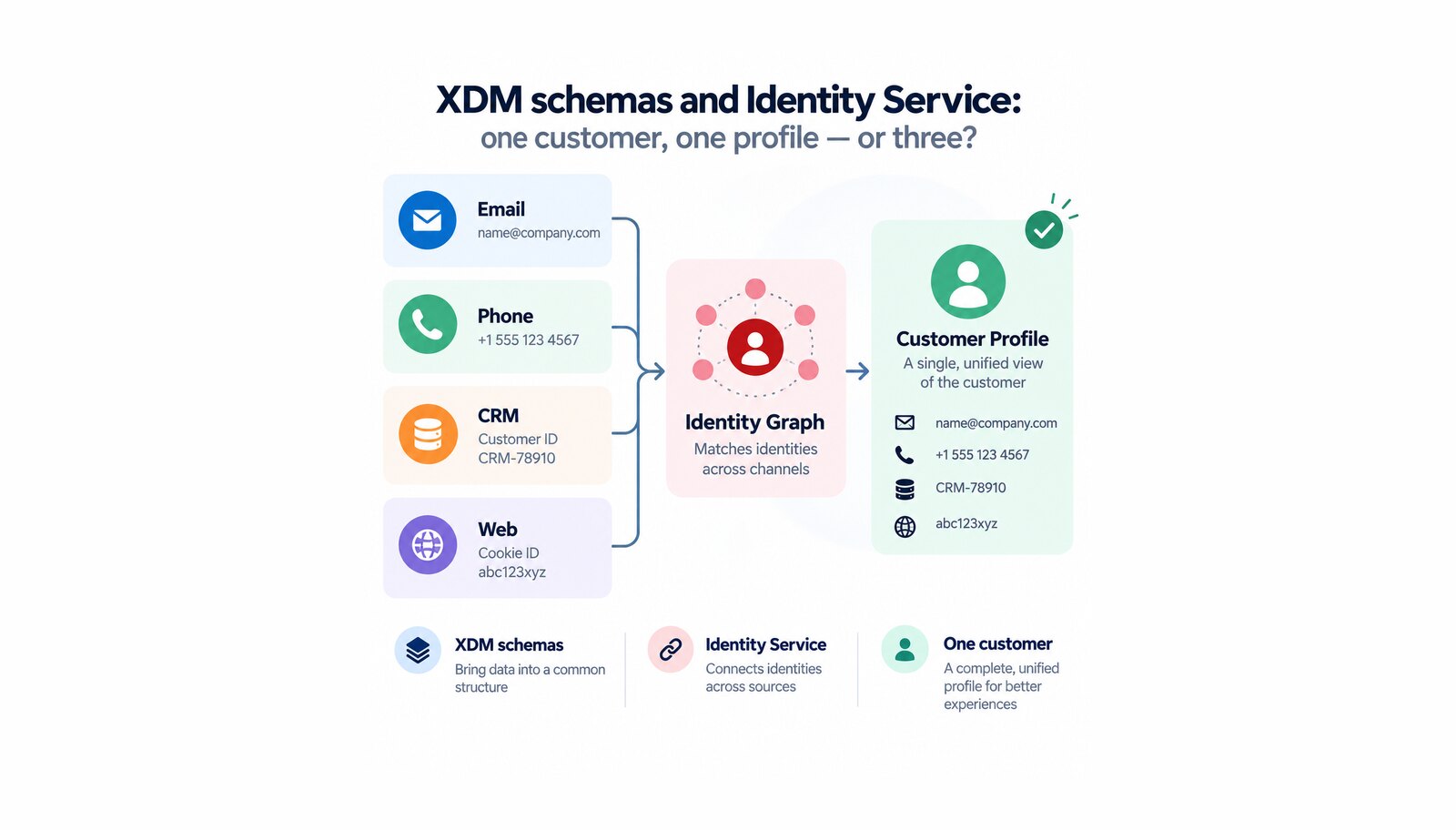
How Adobe Experience Platform decides that three records are one person — what XDM schemas and Identity Service do, and which decisions harden first.

Why one collection layer beats a tag per vendor: what the Adobe Experience Platform Web SDK changes, and what datastreams and tag properties each do.
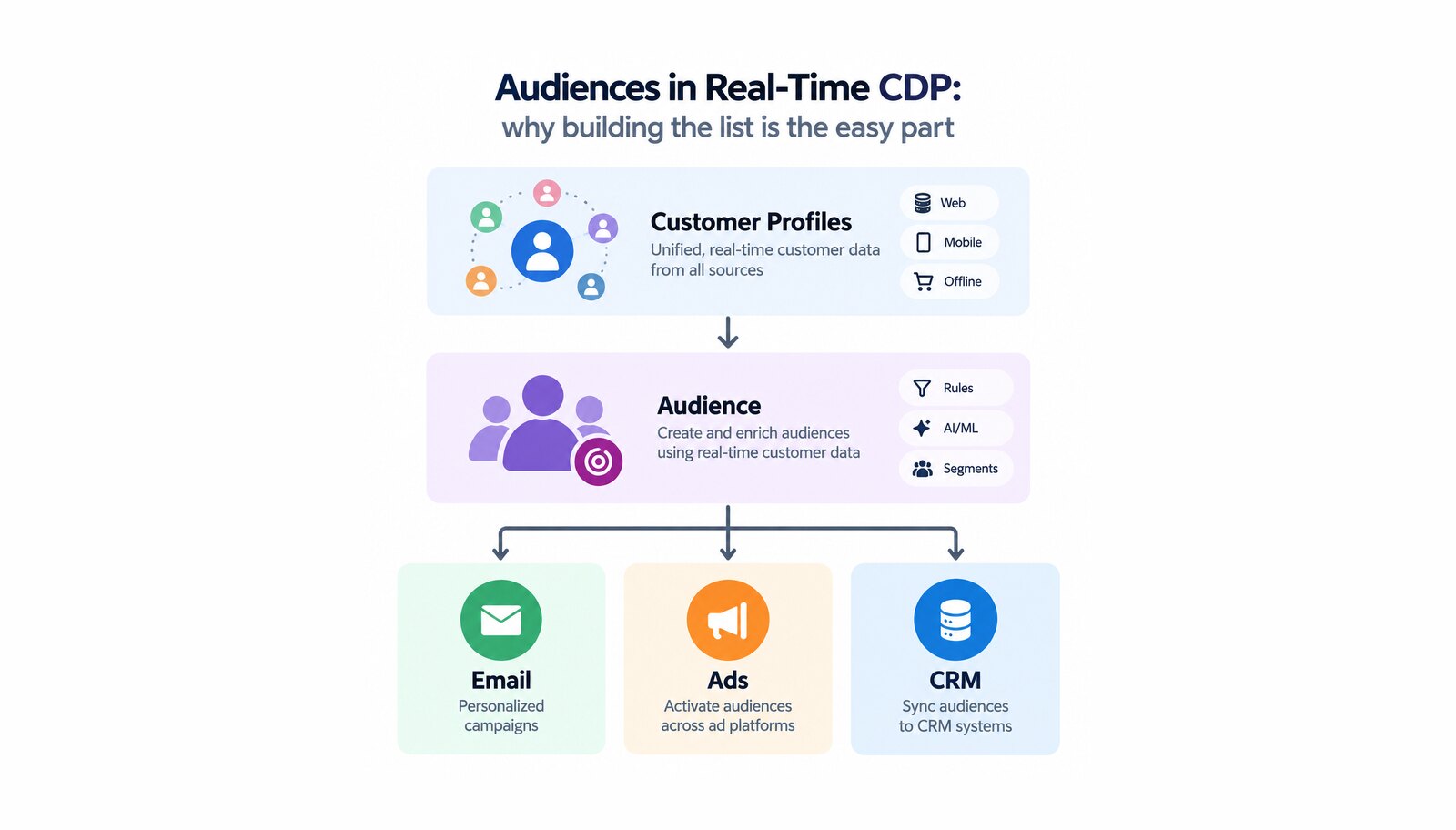
How audiences work in Adobe Real-Time Customer Data Platform: evaluation methods, what a destination may be used for, and the limits to plan around.