AEM Assets for business: one approved source for every channel
AEM Assets for business: one approved source for every channel
Softwhale implements Adobe Experience Manager Assets (AEM Assets) so the file your team publishes is the file the brand approved — found in seconds, in the right rendition, without a request queue.
Enhance digital asset management with AEM Assets
Adobe describes AEM Assets as a cloud-native solution for both Digital Asset Management (DAM) and Dynamic Media operations, with next-generation smart capabilities such as AI and machine learning, in a system it characterizes as always current, always available and always learning. Our Adobe Experience Manager hub page states the same idea in one line: centralized storage, easy access to media files and automatic content optimization for multiple channels. This page is the detail behind that line — what the repository actually does, which interface each of your teams belongs in, and which capabilities are separate offerings you enable rather than defaults you inherit. Underneath it all runs the same platform as the rest of your estate; see Adobe Experience Manager as a Cloud Service for how programs, environments and updates work there.
What is AEM Assets?
Most asset problems are not storage problems. The final file exists somewhere — a creative’s local folder, a shared drive, an email thread — and the real cost is the search for it, the wrong version reaching a channel, and the same image being resized again because nobody knew a rendition already existed. A DAM only fixes that if ingestion is easy enough that people stop working around it, metadata is good enough that search returns the right asset, and the interface is simple enough for the majority of users who are not DAM librarians. Those three are configuration decisions, not license decisions.
Key features of AEM Assets
Key features of AEM Assets

Two interfaces on one repository
Adobe ships AEM Assets as two experiences over one repository. The Admin view carries the advanced Digital Asset Management capabilities: integrations, workflows, content automation and publishing. The Assets view is the lightweight one — upload, metadata, search, download and sharing — for creatives and lighter-weight users, while DAM librarians and developers stay in Admin. Deciding who lives in which view is the largest adoption lever on the project.
Ingestion routes that match how people actually work
Adobe documents a route for each job: the Assets console for occasional uploads, the Upload API for decisions made during upload, the desktop app for low volumes, Adobe Asset Link for creatives working inside Photoshop, Illustrator and InDesign, and the bulk ingestor for large-scale migrations. Bulk import pulls straight from Azure, AWS, Google Cloud, Dropbox or OneDrive, and the Assets view offers more data sources here than Admin.


Metadata, Smart Tags and automated processing
Smart Tags are generated by Adobe AI from the contents of an asset, each with a confidence score you can moderate; Adobe advises reviewing them against your brand. Assets already in the DAM are not tagged retroactively — they have to be reprocessed. Processing is layered: a default configuration for thumbnails, previews and extracted metadata, custom configurations for other formats, and profiles calling the Asset Compute Service. AI now generates descriptive metadata and titles too, which we fit into your model as part of our Adobe AI services.
Benefits of using AEM Assets for your business
We deliver Assets as an operating system for content: a metadata model your teams can search, ingestion routes they will actually use, and an explicit map of what is included and what is a separate offering.
Metadata & Permissions
- Metadata and taxonomy design. Schemas and forms, the fields search depends on, and how far Smart Tags are trusted before a person moderates them.
- View and permission design. Which teams work in which view and what each role may do — only approved assets are distributed.
- Licensing map, written down first. Ultimate and Prime are distinct offerings alongside the base entitlement; Prime is the lighter DAM, without UI extensibility.
Repository Setup
We configure the repository end to end — metadata schemas and forms, folder-level processing profiles, renditions, search facets, collections and the Admin-view workflows — and build the ingestion routes chosen in strategy. Capabilities sold as separate offerings we enable deliberately: Content Hub is switched on by an administrator through Cloud Manager and distributes only approved assets, and Dynamic Media Prime and Ultimate are activation services rather than defaults. Where creative work is planned in Adobe Workfront, its native integration links folders on both sides.
Metadata Hygiene
A DAM degrades quietly. Metadata drifts from how the business talks about products, a folder ends up under the wrong processing profile, and search stops returning what people expect. We review search behavior against the metadata model, reprocess assets when a schema or profile changes — renditions, metadata and Smart Tags can each be reprocessed selectively — and moderate the tag vocabulary as the catalog grows.

Benefits of moving to AEM Assets
For the teams doing the work, the DAM stops being a place assets are archived and becomes the place they are taken from. Creatives publish out of Photoshop, Illustrator and InDesign through Adobe Asset Link instead of exporting and emailing. Marketers search on metadata and Smart Tags rather than on folder names. Renditions are generated by profile instead of by request, so the resizing queue disappears. And approval becomes a state on the asset rather than a thread — only approved assets are available for distribution.
For the business, the effect is brand consistency that does not depend on anyone remembering the rule, and a single source of truth that other Adobe Experience Cloud applications can draw on. A metadata model, processing profiles and the first migrated library typically take 8–12 weeks, with releases every two weeks, so the first governed collections are in use within the first month.
Why Choose Softwhale for AEM Assets?
Why Choose Softwhale for AEM Assets?
A DAM project fails on adoption far more often than on technology, so we design for the people who will actually use it.

What our clients says about us














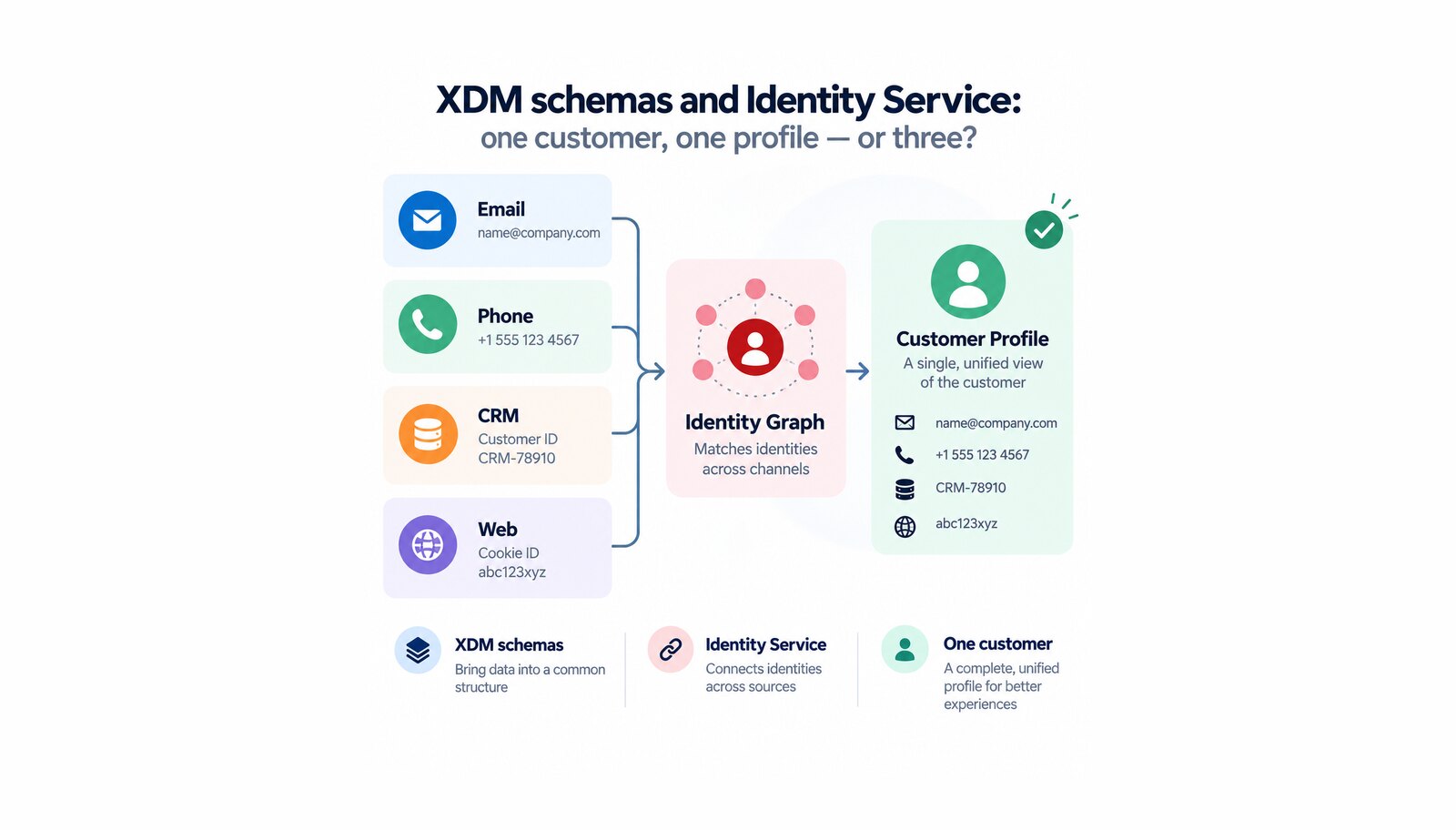
How Adobe Experience Platform decides that three records are one person — what XDM schemas and Identity Service do, and which decisions harden first.

Why one collection layer beats a tag per vendor: what the Adobe Experience Platform Web SDK changes, and what datastreams and tag properties each do.
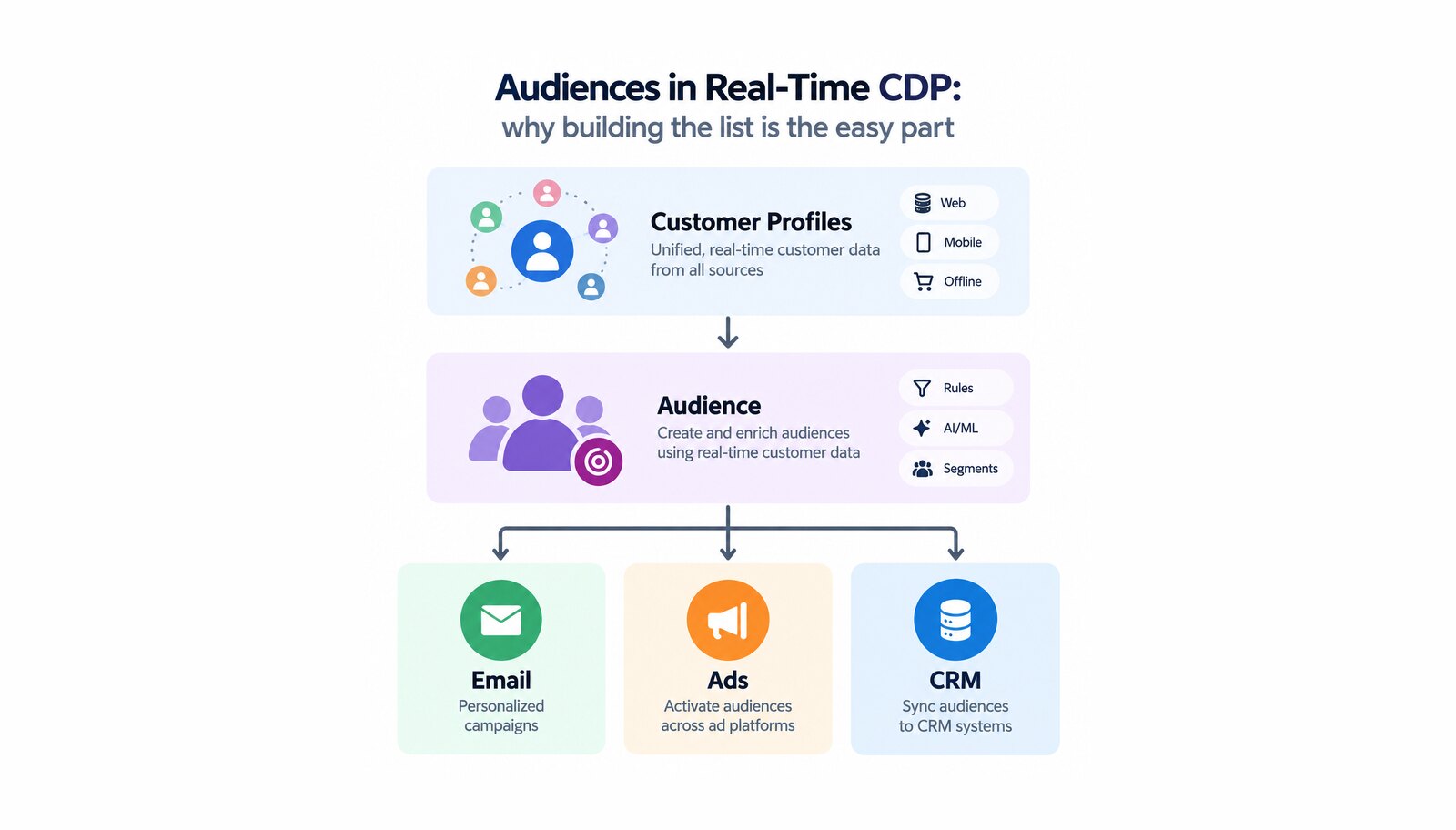
How audiences work in Adobe Real-Time Customer Data Platform: evaluation methods, what a destination may be used for, and the limits to plan around.