Adobe Commerce Data Connection: making store behavior usable everywhere else
Adobe Commerce Data Connection: making store behavior usable everywhere else
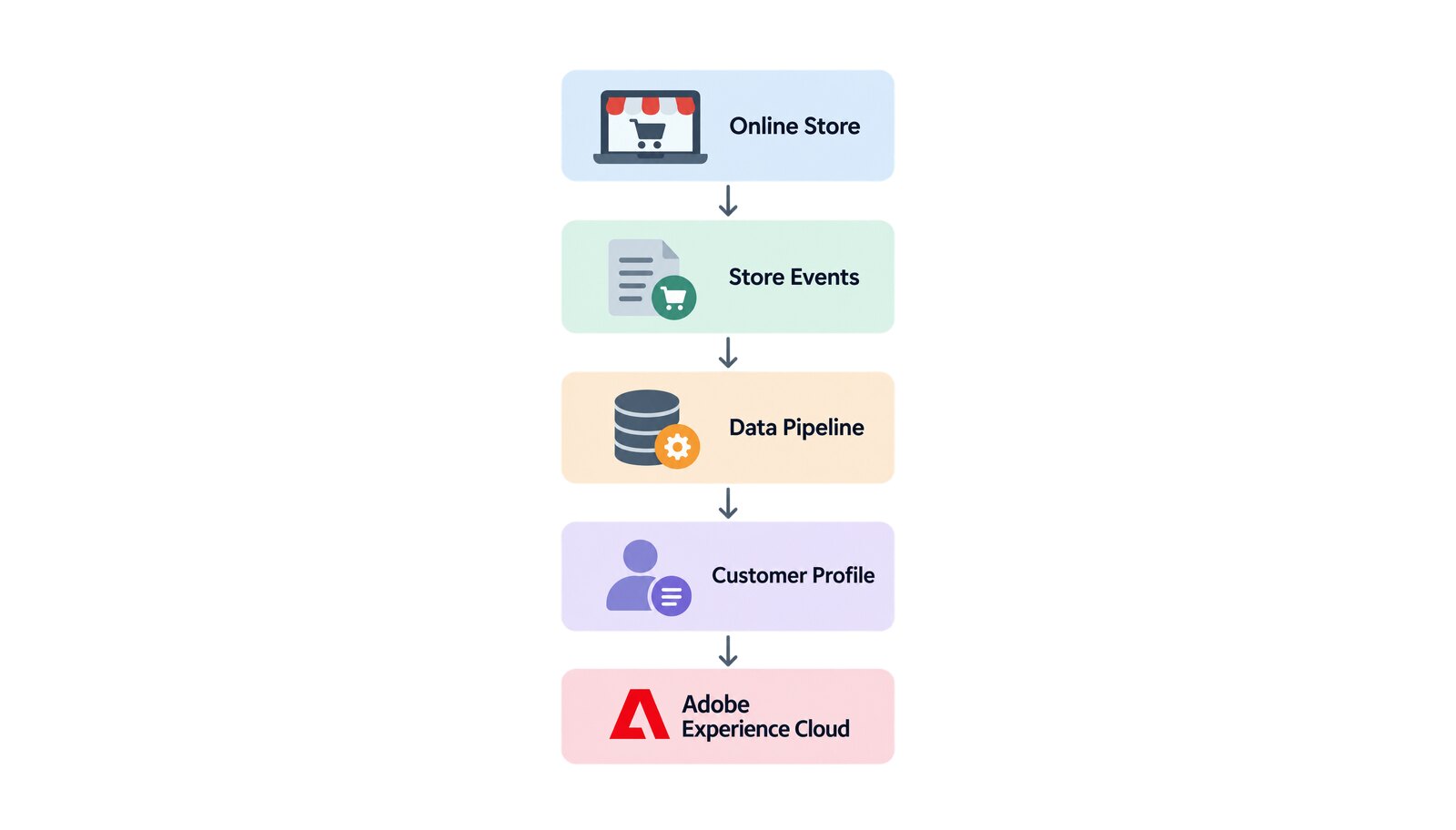
Your store already knows more about your customers than your marketing tools do — which cart was abandoned last Tuesday, which order shipped and which came back refunded. In a default installation none of that leaves the building. Adobe says it plainly: store data can inform native Commerce features such as cart price rules and dynamic blocks, but the data remains siloed in your Commerce instance.
Every other team pays for it. The follow-up email after an abandoned cart gets written on guesswork, and the audience your media budget chases is stale. Adobe Commerce Data Connection closes the gap: it connects your Commerce web instance to Adobe Experience Platform and the Edge Network, so the shopper your store recognizes is the same person your whole Adobe stack recognizes.
Table of contents
- What is Adobe Commerce Data Connection?
- Why a store that cannot share data holds the whole stack back
- What actually crosses the boundary
- When Experience Platform answers back
- Integration across Adobe Experience Cloud
- What to plan for: entitlements, versions and data scope
- Conclusion: why Data Connection matters
What is Adobe Commerce Data Connection?
Data Connection is an extension for Adobe Commerce, not an integration you have to build. Once configured, it carries store data outward to the Experience Platform Edge Network, and Adobe’s framing is worth repeating: the extension handles the data sharing complexity for you. What older material calls the Experience Platform connector is now Data Connection.
It is also half of a pair. Adobe groups both directions under Adobe Commerce Data Sharing, which has two components: Data Connection, which sends store data out, and Audience Activation, an optional extension that brings audiences back in.
Why a store that cannot share data holds the whole stack back
The value here is not more data but one shopper identity that survives the trip between systems. Connecting the store moves the unit of decision from a session to a profile: once behavior and order history reach the Edge Network they can be stitched with data from systems that never touched your storefront — the ERP, the CRM, the point of sale — and that profile is what powers audiences, journeys and analysis.
What actually crosses the boundary
Data Connection does not ship one undifferentiated stream: it collects distinct classes of data from different places, and each behaves differently.
- Storefront behavior. Behavioral data is captured in the browser — page views, product views, add-to-cart, checkout start and completed checkout, plus sign-in, sign-out and account creation or edits. Two limits matter at design time: Adobe documents these events as applying to simple and configurable products only, and collecting them at all depends on the Adobe Client Data Layer being in place. Two further families are gated by other products: search events require Live Search, and the B2B events tracking requisition lists require a separate B2B connector extension.
- Back office events. Back office data is captured on Commerce servers rather than in the browser, and describes outcomes rather than intentions: whether an order was placed, canceled, refunded, shipped or completed, plus account lifecycle changes. This is what makes lifetime value and propensity to convert answerable, closing the loop behavioral data alone leaves open.
- Profile records. Profile data is different again. Adobe describes profile records as snapshot data sent when a shopper profile is created in Commerce, with profile events covering lifecycle changes on the server. The two are not interchangeable: a schema designed for one will not carry the other.
When Experience Platform answers back
With Audience Activation in place, an audience built in Adobe Real-Time Customer Data Platform becomes something the store itself can act on. Adobe documents those audiences informing cart price rules, dynamic blocks and related product rules — offers in the cart such as buy 2 get 1 free, hero banners aimed at that shopper, and modified product pricing through promotional offers.
How the audience reaches the storefront depends on how the storefront is built: in a Luma storefront membership is held in a cookie on the Commerce side, while a headless storefront receives it through a GraphQL API header. Because membership is refreshed constantly, shoppers move in and out of an audience while they shop.
Integration across Adobe Experience Cloud
Once store data is at the Edge Network it is available to every application that consumes Experience Platform data, rather than one integration at a time. Adobe names Real-Time CDP, Customer Journey Analytics, Adobe Analytics and Journey Optimizer as downstream consumers, with the abandoned-cart email in Journey Optimizer as the worked example. That is why we treat the data path as part of the commerce scope in our Adobe Commerce work rather than as a later phase.
What to plan for: entitlements, versions and data scope
The return path is licensed separately from the outbound path. Adobe states that the Adobe Commerce destination appears in the destinations catalog for customers who have purchased Real-Time CDP Prime or Ultimate and Adobe Commerce. Assuming one follows the other is expensive.
Version requirements point at three different things and do not agree. Adobe documents Data Connection itself as requiring Adobe Commerce 2.4.4 or newer; the Experience Platform source connector for Commerce states 2.4.3 or newer; the Adobe Commerce destination in Real-Time CDP states 2.4.4 or higher. Collapsing those into one number is how a scoping document becomes wrong.
Multi-site is a configuration decision, not a detail. Data Connection settings mix global and website-scoped values: credentials are entered once for the instance, while the Experience Platform sandbox and the datastream are set per website. So a merchant routing two brands to two sandboxes configures each separately — skip that, and both brands land in one dataset.
Personal data deserves a precise answer, not a reassuring one. The Experience Platform source-connector documentation states that captured Commerce data does not include personally identifiable information, and that identifiers such as cookie IDs and IP addresses are strictly anonymized. The Commerce-side documentation, describing the same events, says every behavioral and back office event carries an identity map with the Experience Cloud ID and, when available, the shopper’s email address. Both are Adobe’s, from different sides of the boundary, and a compliance review will find both. In healthcare the split is already formal: Adobe documents HIPAA compliance for back office event data, and installing the Data Services HIPAA extension stops capture of the storefront event data used by Live Search and Product Recommendations until collection is re-enabled for those services.
The supported ground is also narrower than "any Commerce store": Adobe documents Data Connection on PHP/Luma, PWA Studio and AEM.
Conclusion: why Data Connection matters
Data Connection separates a store that only reports on itself from one that shapes how the business understands its customers. The extension carries most of the mechanical complexity — but the decisions that determine whether it works are entitlement, version, scope and schema, and all four are made before installation.
We scope the data path alongside the storefront, name what your license actually includes, and design the schema against the applications that will read it. On a store that already runs, wiring Data Connection and getting the first events into Experience Platform is typically 4–6 weeks; the schema and identity decisions behind it take the time, not the extension itself.
Unlock the power of Adobe Solution with Softwhale.
Unlock the power of Adobe Solution with Softwhale.
Explore how Softwhale’s expert Adobe solutions can help you build scalable and personalized digital experiences. Dive deeper into insights and best practices tailored specifically to your industry. Stay informed with our latest blog posts on Adobe trends, strategies, and innovations.